Ref Check
Score stems against a reference mix, fast.
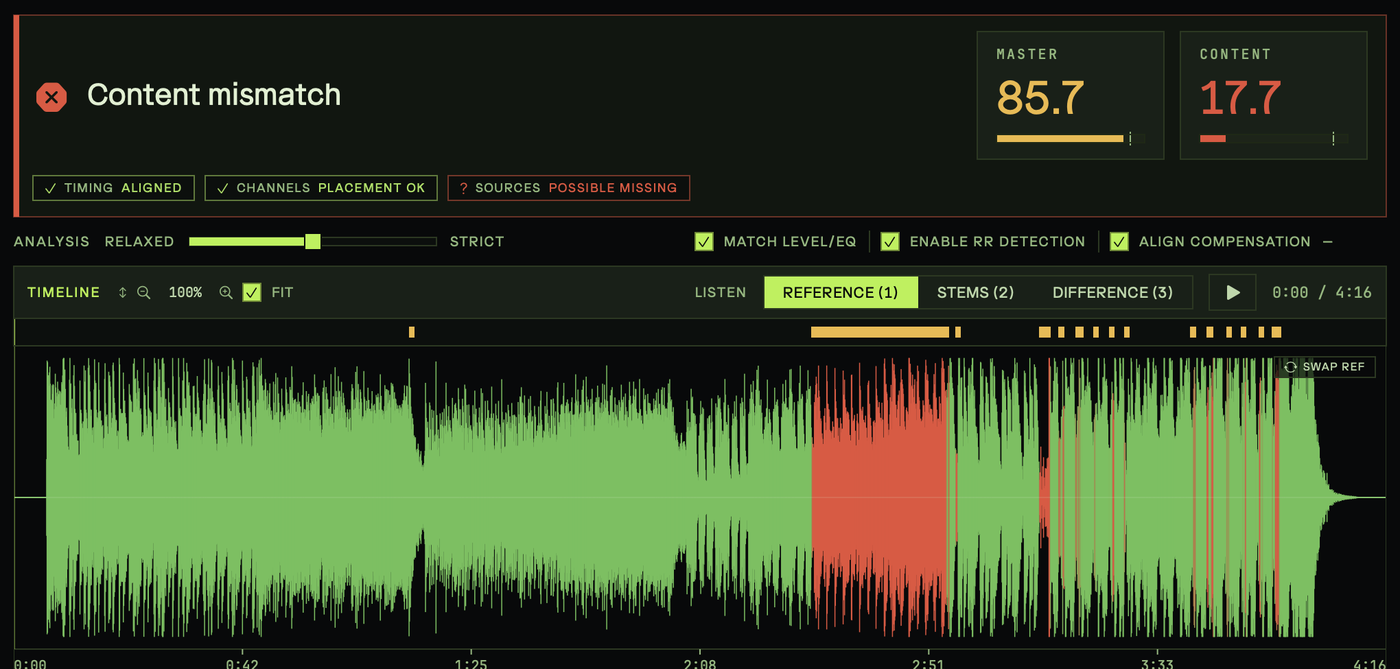
Analyzes the difference between stems and reference mixes. Includes an advanced match scoring system, an interactive audio player that points you to detected problem areas, with sample-accurate A/B playback, stem soloing, and phase delta playback. Files whose audio cuts off at the file boundary are flagged. Also perfect for comparing mastered files to reference mixes.
Tempo/Meter Events
Pull tempo maps without opening the session.
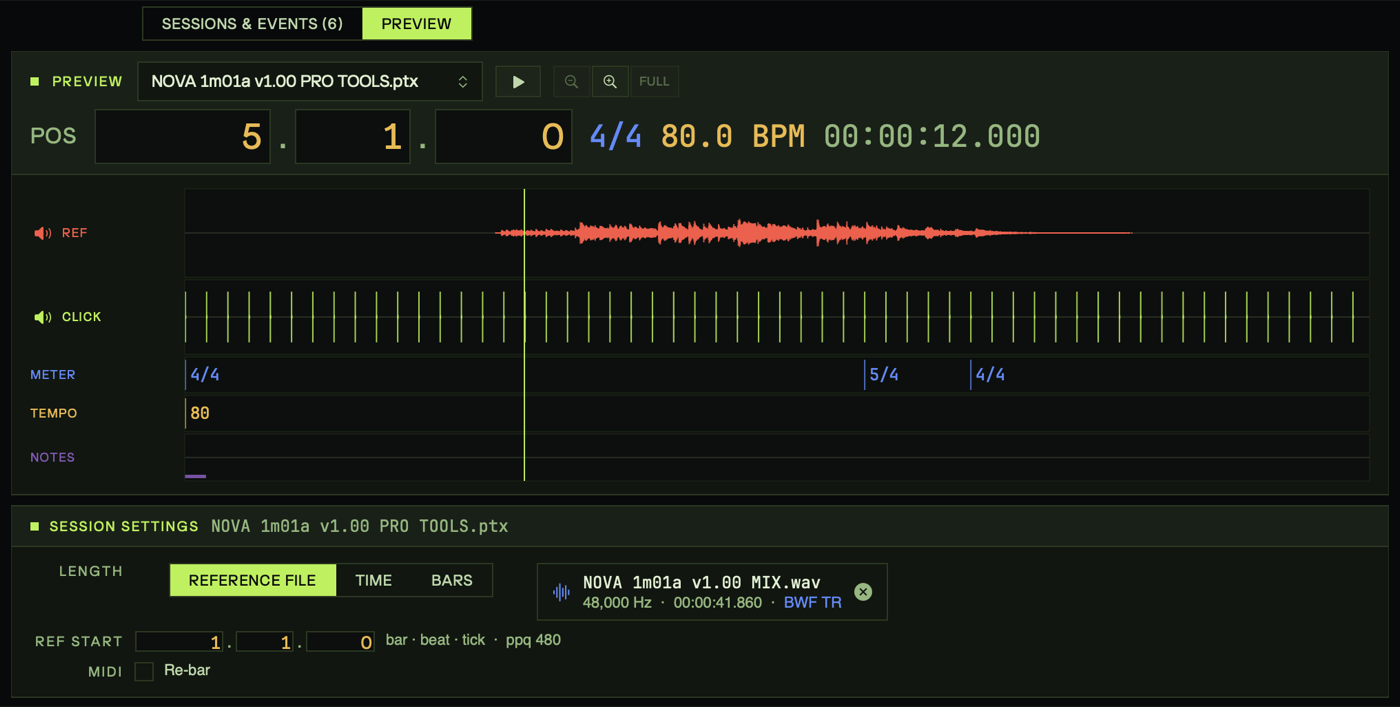
Read tempo and meter events from Logic Pro .logicx, Cubase .cpr, Ableton Live .als, Pro Tools .ptx, or Standard MIDI files without opening them (no DAW required), and optionally print click tracks or export MIDI tempo maps. Works on batches - get clicks and MIDI for a whole movie in one pass. Clicks and tempo maps match each DAW's own playback, verified against its rendered clicks. Includes optional full MIDI track export from Ableton Live sessions.
Cue Names
Rename a whole delivery to spec in one pass.
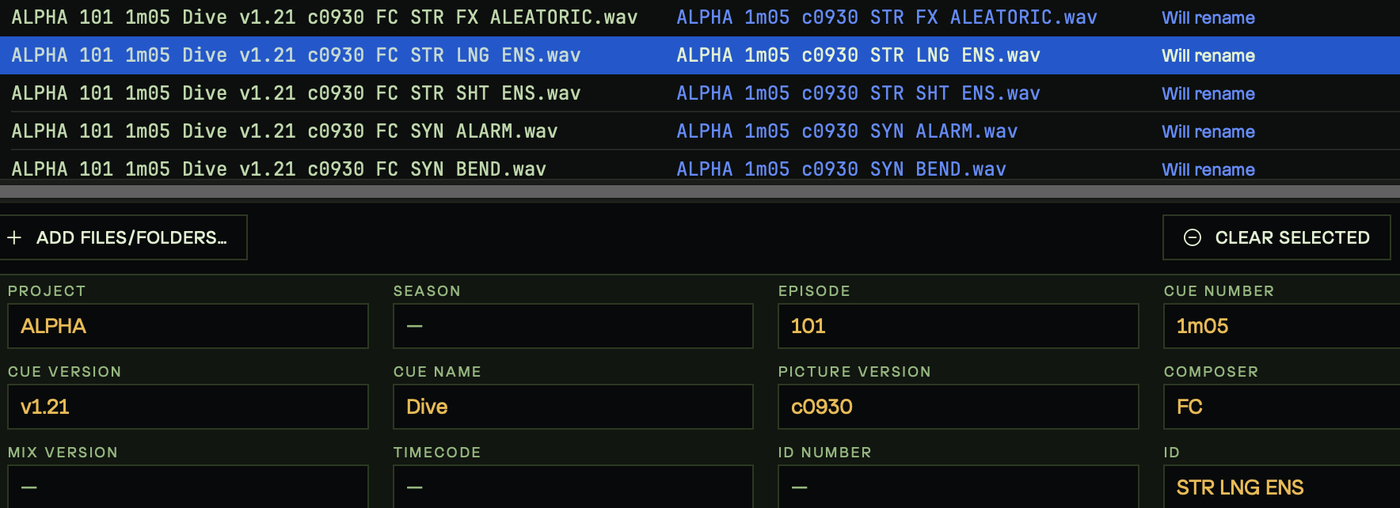
Batch file naming, precisely calibrated for film, TV, and game cues. Apply rules and see results instantly. Auto-fill sets Timecode, Date, Tempo, Key and Channel Format from each file's own metadata. Calibrate with your own preferences, save naming convention presets for projects, and share conventions across teams.
Empties
Find and strip empty files from a batch.
Scan and tag or remove empty files from a file batch. Perfect for trimming down batch exports, labeling deliverables for a dub stage, or saving space on archival backups.
Multichan Refine
Drop dead channels, keep every pan position.
Drops empty channels from multi-channel audio files without compromising the pan positions of the original file. Optionally reduce dual-mono files to mono, and name each output by its written layout — 5.1, 6mx or 6ch. Save system resources and keep your sessions clean.
Timecode Stamps
Re-stamp WAV/AIFF timecode across a whole movie.
Manipulate timecode start metadata in your WAV or AIFF files. Set new timecode, offset timecode earlier or later, set timecode from filename, or set filename from timecode. Works on individual files or batches (re-stamp stems from a whole movie 3 seconds later in one pass). Every copy of the timecode is kept in step — bext and iXML alike — and the frame rate follows what your files declare.
Inspect/Convert
Inspect any file, then convert with presets.
Drop any file to inspect its format, sample rate, bit depth, channel layout, timecode, iXML project and frame rate, BPM, ACID markers, and duration with silence removed. Then, resample, re-bit, down-mix, trim silence, normalize, or encode to WAV · AIFF · CAF · FLAC · MP3 · M4A · AAC from saved presets. Split interleaved files to multi-mono with Pro Tools naming, or combine split sets back to interleaved — surround included. For WAV and AIFF files, all timecode metadata is preserved across conversions.




 CueMachine